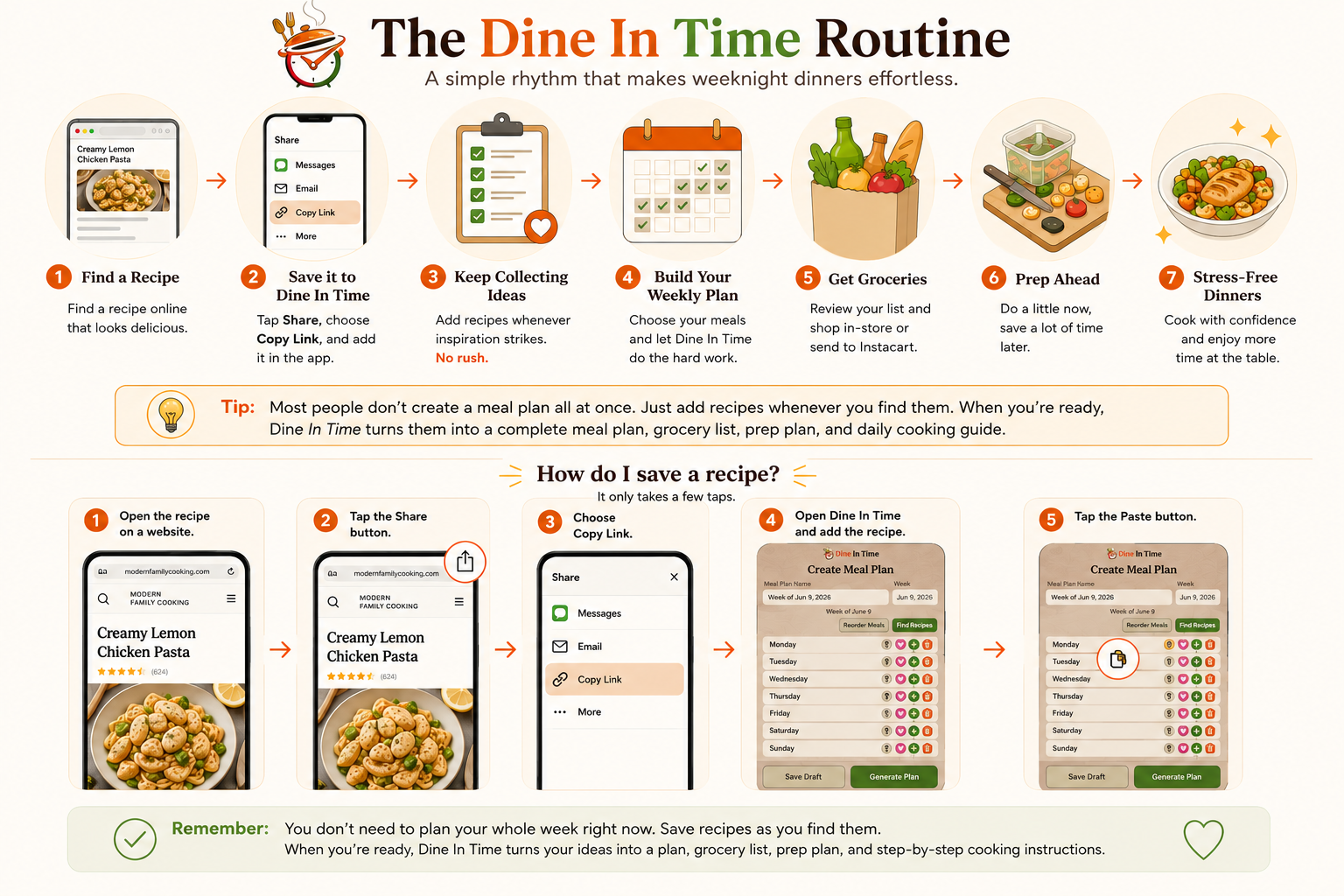
The Dine In Time Routine
Dine In Time is designed around real life. You do not need to sit down and plan your whole week in one session. You can save meal ideas as you find them, then build your plan when you have enough dinners ready to go.
Save meals as you discover them
Find a recipe you want to make. Maybe it is from your favorite cooking website, a Google search, a link a friend sent you, or a recipe creator's website.
- Your favorite cooking website
- A Google search
- A link a friend sent you
- A recipe creator's website
When you find something that looks good, do not worry about planning your whole week. Just save it to Dine In Time. Think of it as building a collection of dinners you would like to make.
Keep adding recipes whenever you have a minute
Maybe you save one recipe on Monday, another on Wednesday, and two more over the weekend. There is no rush. Your meal plan is saved automatically, so you can come back anytime.
Ready for next week? Build your plan
Once you have collected enough meals, choose the days you would like to cook and let Dine In Time do the hard work.
The app automatically creates your grocery list, Prep Ahead tasks, and daily cooking instructions.
Get groceries
Review your grocery list and send it to Instacart or use it while shopping yourself. No more juggling multiple recipe websites trying to remember ingredients.
Prep ahead
This is where many users save the most time. The Prep Ahead section groups everything you can do before the busy week begins.
Chop vegetables. Mix sauces. Prepare ingredients. A little work now means much easier weeknight dinners.
Cook with confidence
When it is time to make dinner, open the Daily Cooking guide. You will only see the steps you need for that meal because the prep work is already done. Dinner becomes much less stressful.